What Makes a Game “Poolside Ready”?
Desktop-first slot games feel fine at a desk and awful by the pool. Tiny buttons, sideways layouts, dark palettes, and heavy animations all fight the reality of outdoor play. Poolside-ready mobile slots are designed around sunlight, one hand, and short attention spans.
If you have to rotate your phone, the game already failed. A vertical interface means big touch targets, a spin button placed where your thumb naturally rests, and true one-hand gameplay. This is the difference between casual poolside entertainment and accidental phone gymnastics.
Sunlight is brutal on screens. Poolside-ready games use high brightness visuals, clean color separation, and readable symbols. Dark, gothic themes look cinematic indoors but turn into a black mirror outdoors. Bright slots stay legible even at full noon glare.
Heavy desktop ports chew through battery and data fast. Poolside slots are optimized for low data usage, fast loading, and cooler phones. They rely on smart animation loops instead of constant effects, so your device stays responsive—and your 5G plan intact.
In short: vertical layout, sun-friendly visuals, and lightweight performance are not bonuses. They are the baseline for any mobile slot that claims to be summer-ready.
Top 5 Portrait Mode Slots (Built for One Thumb)
These picks aren’t here because of hype. They earn their place because the interface feels right on a phone. Buttons land where your thumb expects them. Menus stay out of the way. Nothing fights gravity, glare, or real life.
1. Dragon Hatch 🐉 (PG Soft)
This is the gold standard for portrait slots. PG Soft builds only vertical games, and it shows. The layout feels native, like an app designed for your phone rather than adapted from desktop.
Sunlight test: Fire effects, gold accents, and bright symbols stay readable even at full brightness.
Why it works poolside: Native 9:16 layout, zero rotation, instant response.
2. Starburst Touch ✨ (NetEnt)
This isn’t just Starburst on a smaller screen. NetEnt Touch is a rebuilt mobile version with smarter spacing and cleaner controls.
Sunlight test: Neon gems on a dark backdrop create extreme contrast, one of the easiest games to see outdoors.
Why it works poolside: Simple inputs, forgiving hit zones, no fiddly buttons.
3. Jammin’ Jars 🍓 (Push Gaming)
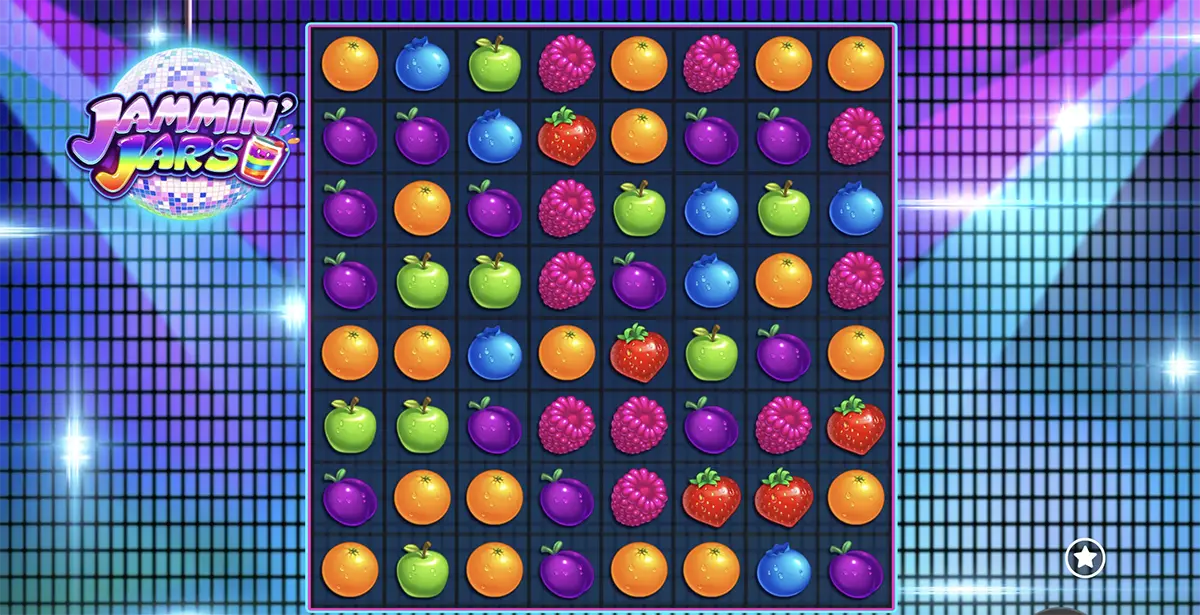
A grid slot that fits a vertical phone almost perfectly. No wasted space, no awkward gaps. It feels like a puzzle game that just happens to pay.
Visuals: Bright fruit colors and dancing jars keep things playful without clutter.
Why it works poolside: Familiar Candy Crush-style interaction, easy to follow even mid-sun.
4. 9 Masks of Fire 🔥 (Microgaming)
This one wins on restraint. No heavy effects, no cinematic overload. Just fast, lightweight performance that opens instantly.
Sunlight test: Red and gold dominate the palette, cutting cleanly through glare.
Why it works poolside: Low battery use and reliable loading even on spotty beach connections.
5. Wild Toro 2 🐂 (ELK Studios)
Built mobile-first from day one. Everything here feels chunky, deliberate, and easy to hit—even on smaller phones.
Visuals: Bold reds and yellows stay readable under harsh light.
Why it works poolside: Perfect for short sessions while waiting, tanning, or refilling a drink.
Technical Tips for Outdoor Gaming
Poolside play is a different sport. Heat, glare, and flaky connections can turn a perfectly fine game into an annoying one. These quick tweaks help you save battery while gaming, keep things discreet, and make the screen readable even in full sun.
Many modern mobile slots hide a lightweight mode in the menu. Look for toggles that reduce animation intensity, lower background effects, or switch to simpler visuals. Your phone stays cooler, sessions last longer, and performance stays smooth instead of turning into a slow, hot mess.
At the pool, audio is optional. Most games still communicate everything through visuals: symbol pulses, win highlights, meter fills, and gentle screen flashes. Turn music off, keep effects low, and rely on visual cues only. Silent play mode is the cleanest way to stay polite while still enjoying the rhythm.
Gaming in sunlight is basically a visibility test. Choose high brightness games with strong contrast and clean symbol outlines. If your phone offers “Increase Contrast” or “Reduce Transparency,” flip it on. The screen becomes sharper and less washed out, especially when water reflections hit.
App vs. Browser – Where to Play?
When it comes to mobile slots, the platform matters almost as much as the game. The right choice depends on how long you plan to play, how stable your connection is, and whether you want zero friction or maximum reliability.
Browser play is perfect for quick sessions. You tap a link, the game loads instantly, and you’re in—no storage space, no updates, no commitment. Modern HTML5 slots run smoothly in mobile browsers and are ideal if you just want a few spins between swims.
Native apps shine when stability matters. They handle connection changes better, support biometric logins like FaceID or fingerprint, and feel slightly snappier during longer sessions. If you’re moving between Wi-Fi and 4G a lot, apps tend to hold the line.
For the smoothest experience, look for casinos that offer a PWA. It opens like a website but behaves like an app—fast loading, home-screen icon, offline-friendly caching, and no app store downloads. It’s the best of both worlds for mobile-first players.
Trusted Mobile Platforms (Built for Poolside Play)
Even the best mobile slots feel bad on the wrong platform. For outdoor play, speed, visibility, and stability matter more than flashy promos. These two platforms consistently deliver smooth sessions when you’re switching networks, squinting in the sun, or unlocking your phone with damp hands.
LeoVegas 🦁 The “King of Mobile”
When people talk about mobile casinos, this is the reference point. LeoVegas has built its reputation almost entirely on mobile performance, and it shows the moment you open the app. Fast load, zero lag, no drama.
Mobile edge: One of the most stable native apps on iOS and Android, with FaceID login—no typing passwords with wet hands.
Why it matters poolside: Seamless performance when switching from Wi-Fi to 4G, and no random crashes mid-spin.
Wheelz Casino 🚨 The “Baywatch” Vibe
Built on the ultra-fast Rootz platform, Wheelz is all about speed. Pages load instantly, games open without delay, and everything feels tuned for mobile data rather than desktop Wi-Fi.
Mobile edge: Extremely fast loading times, even on 4G or busy hotel networks.
Why it matters poolside: Quick sessions feel genuinely quick; no waiting, no friction.
FAQ – Data, Battery & Safety
Poolside questions are practical. How much data? Will my phone overheat? What if the connection drops right when something good happens?